1
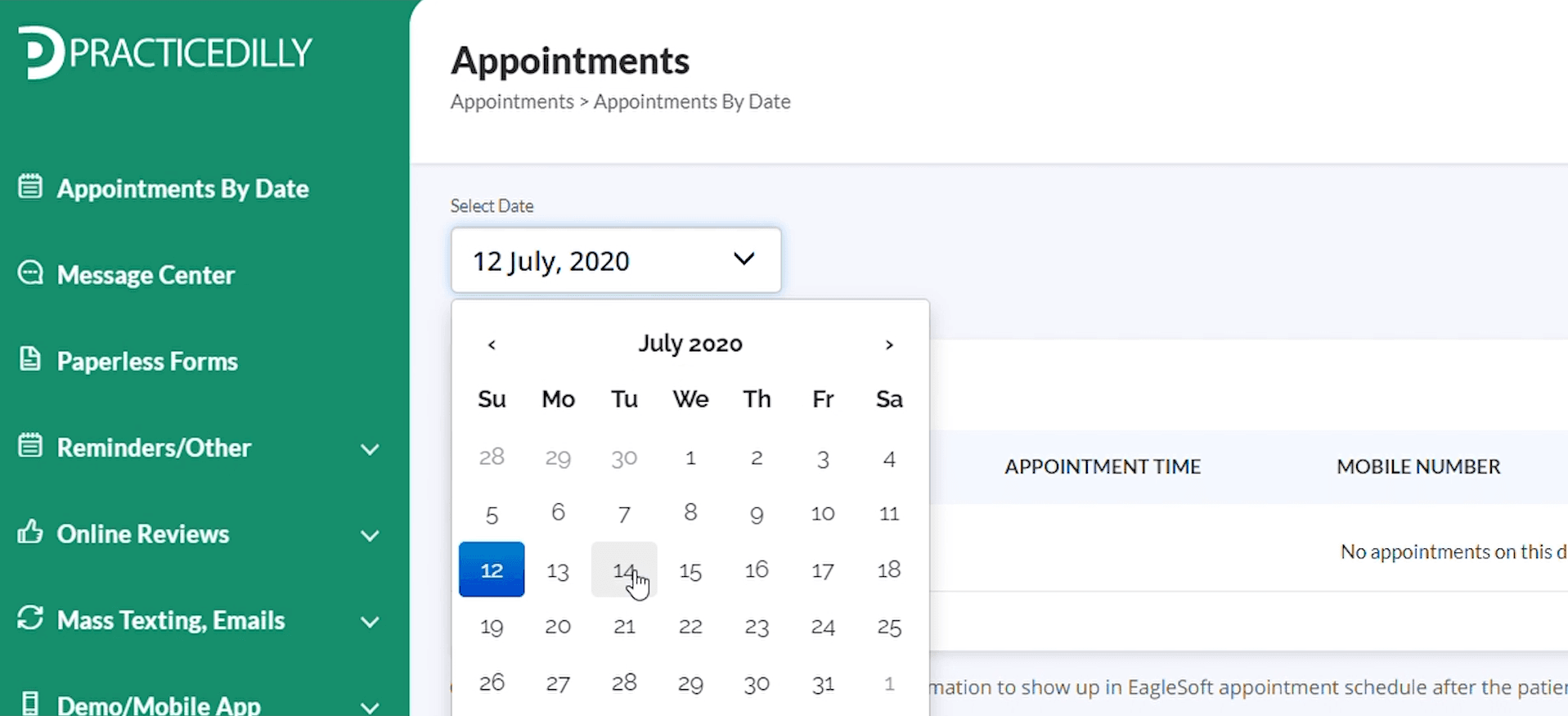
Once you log in to PracticeDilly, click on Appointments By Date and select the date of Appointment. Here, you will see all the patients coming in on that particular date.
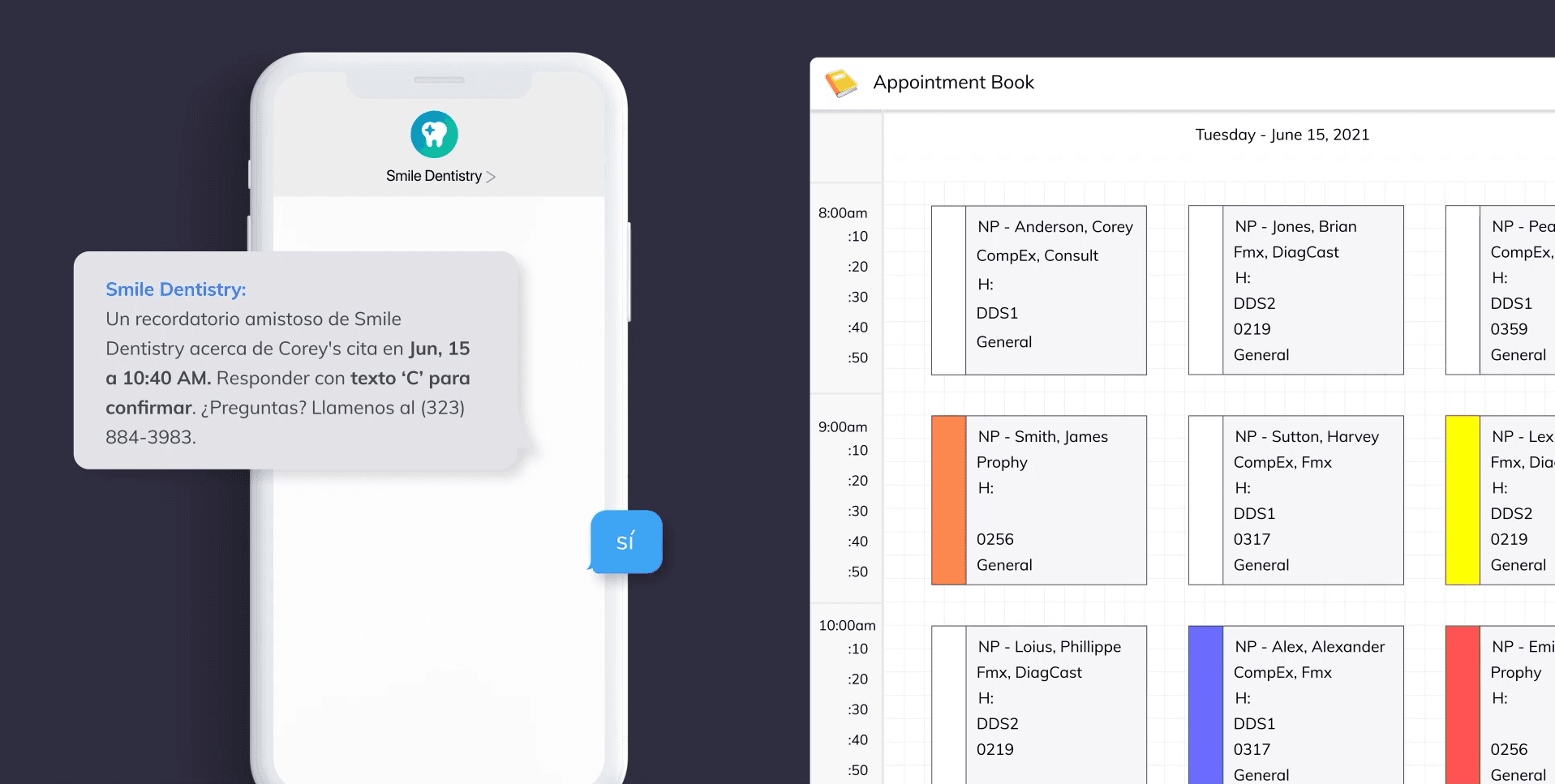
Set a patient’s preferred language once and let PracticeDilly send future appointment reminders in Spanish automatically.
Once you log in to PracticeDilly, click on Appointments By Date and select the date of Appointment. Here, you will see all the patients coming in on that particular date.
Let's say, you want to send the reminders in the Spanish language for a few patients. On the patient details page, change the language preference to Spanish. The default language preference is English
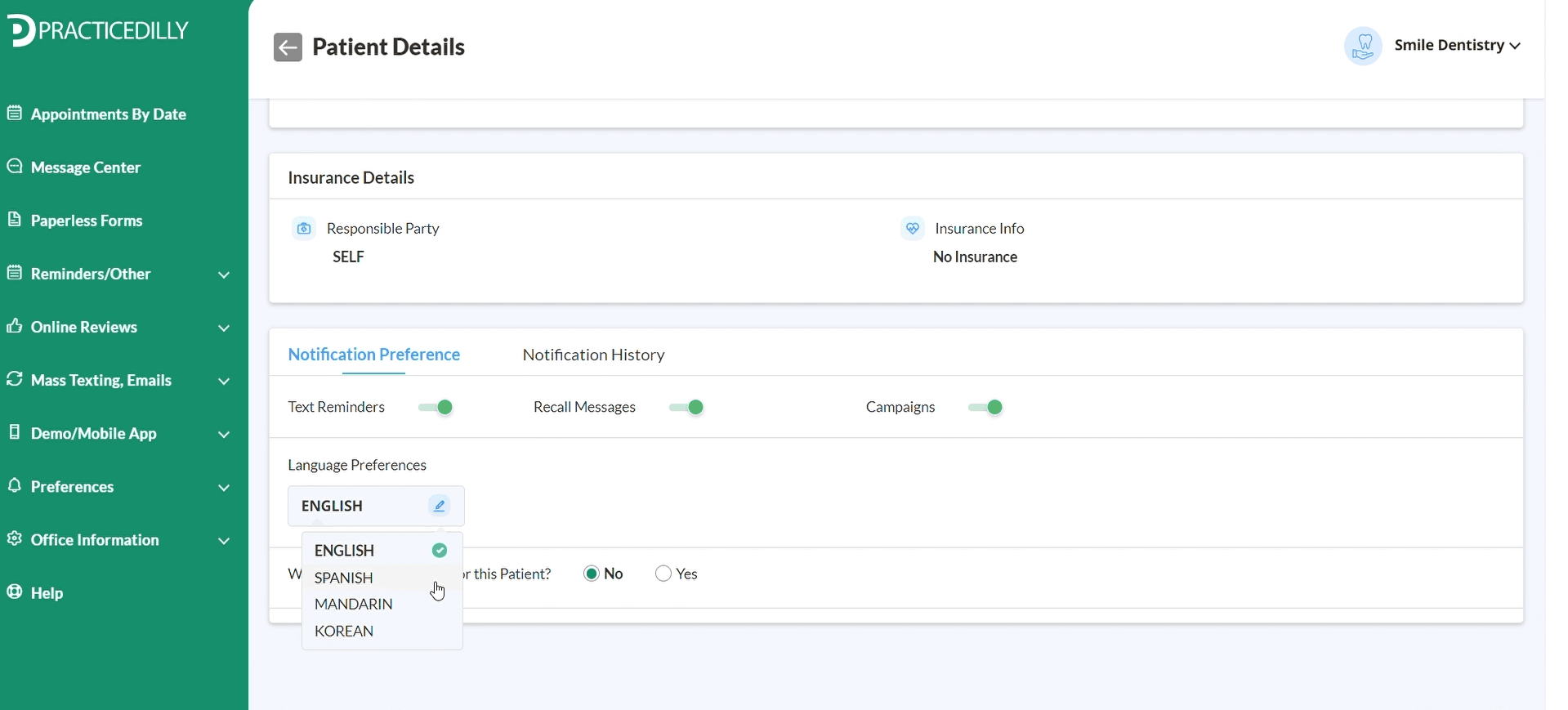
This is a one-time setting. Once a language preference is set, Maria and Marcos will be getting the messages in the Spanish language.
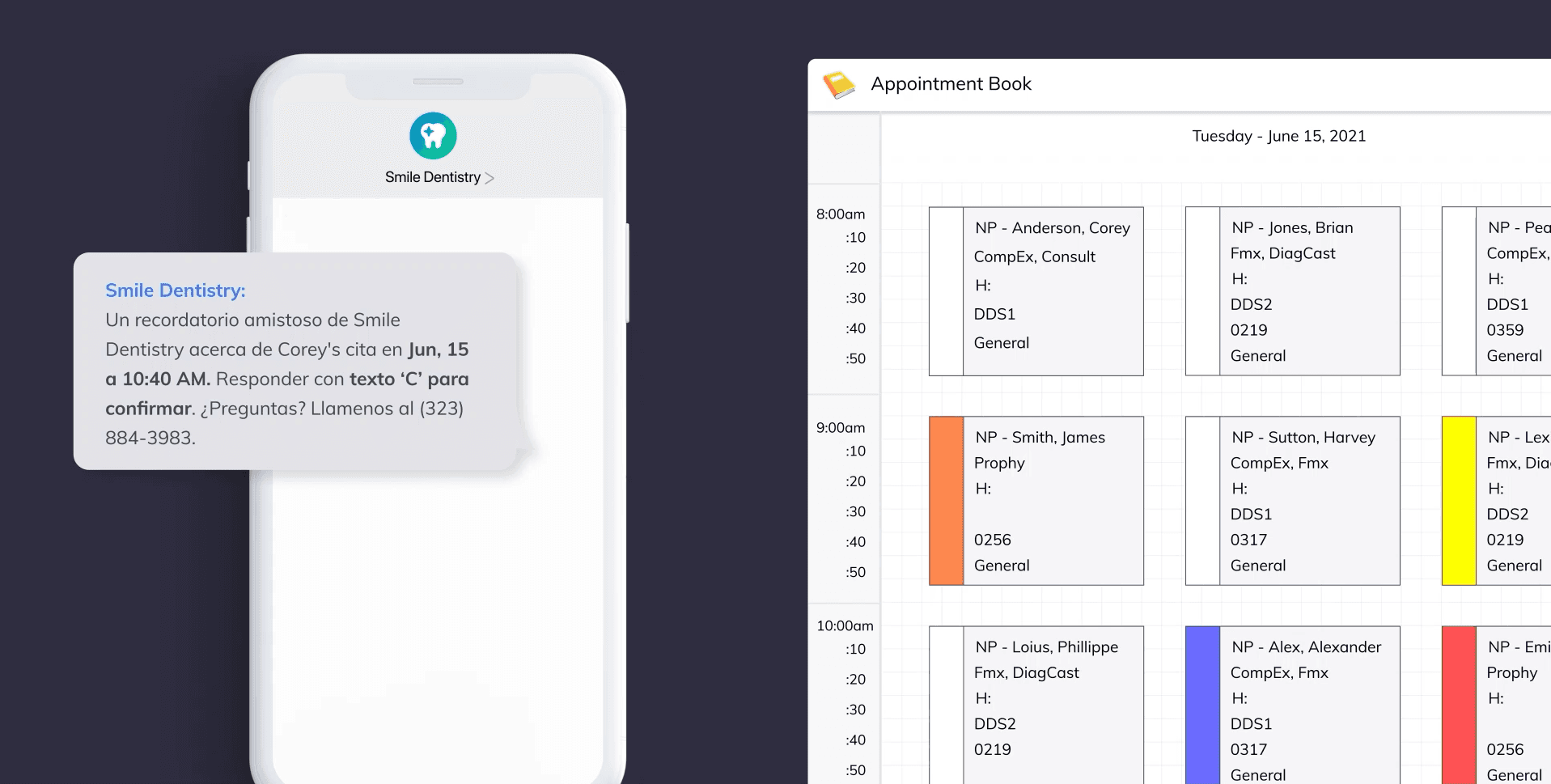
The patients can even respond back in the Spanish language to confirm the appointment, and if you use any of the software like Dentrix, Eaglesoft, and Opendental, the appointment will be automatically marked as confirmed in your appointment book.