
Introduction
The best way to make sure something gets done is to put it on the calendar and have a system that reminds you when it is time to act.
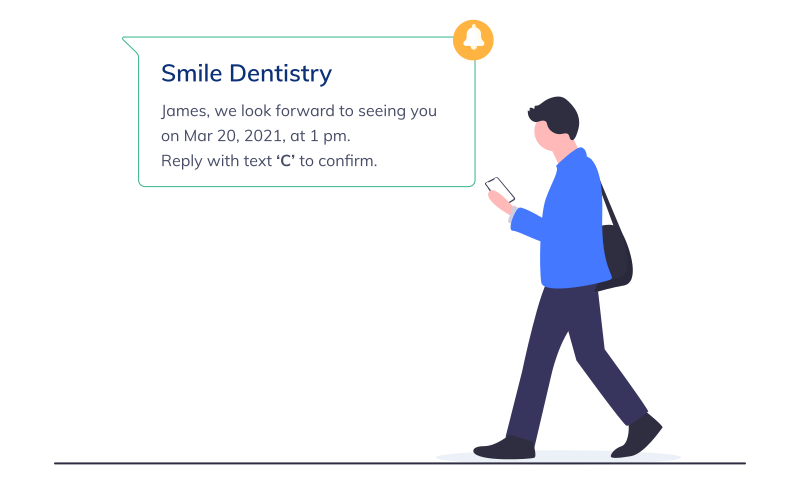
Dental appointment reminders do the same job for patients. They let patients know that they need to hold a specific date and time, and they give them an opportunity to respond before the appointment is missed.
This guide explains why dental appointment reminders matter for a dental practice and how they can help reduce patient no-show rates.
Why Are Dental Appointment Reminders Important?
Little things can make a big difference. A well-timed reminder can prevent a patient from forgetting an appointment and give the practice useful notice when plans change.
Reduce the Risk of Missed Appointments
Missed appointments create a real cost for healthcare providers. Estimates have placed the annual healthcare cost at $150 billion, while one dental study found that a clinic lost 443 production hours because of no-shows.
Reminders cannot prevent every cancellation, but they reduce the chance that an appointment is missed simply because it slipped the patient's mind. When a patient needs to reschedule, earlier notice also gives the office more time to offer the opening to someone else.
A useful reminder does more than repeat the appointment time. It gives the patient a simple way to confirm, reschedule, or contact the office.
Help the Practice Become Proactive
Without a reminder process, the team may not know that an appointment is at risk until the chair is already empty. Confirmations help the front desk see who is coming, who needs to reschedule, and who still needs a personal follow-up.
Make the Front Desk More Efficient
Calling every patient by hand takes time away from check-ins, insurance questions, payments, and the patients standing at the desk. Automated reminders handle the repetitive part of the process and organize responses into confirmed and unconfirmed appointments.
This does not remove the human part of patient communication. It gives the team more time for conversations that actually need a person.
Improve the Patient Experience
A reminder system should make the appointment easier for both the patient and the practice. When choosing one, look for:
- The reminder and confirmation features your practice actually needs.
- Personalized messages that sound like they came from your office.
- Pricing that makes sense for the time and missed appointments it can save.
- Clear training and support for the people who will use it every day.
- A workflow that fits naturally with the rest of your practice systems.
Put Patients in the Driver's Seat
Patients have different schedules and communication preferences. Letting them choose text, email, or phone reminders makes it easier for them to receive the message, respond, and plan around the visit.
Support Practice Revenue
A more reliable schedule helps protect production without treating patients like numbers. The practical benefits add up:
- More patients remember and keep their appointments.
- Fewer appointment times are lost without notice.
- Personalized communication builds trust and can lead to referrals.
- Automation reduces repetitive work and helps the practice get more value from staff time.
What the Research Says
A 2003 paper published in the British Dental Journal by Donald Burden followed 232 patients. It found that reminders improved attendance while also encouraging patients who could not attend to cancel in advance.
That distinction matters. A timely cancellation still gives the front desk a chance to fill the opening; an unexplained no-show does not.
When to Send Dental Appointment Reminders
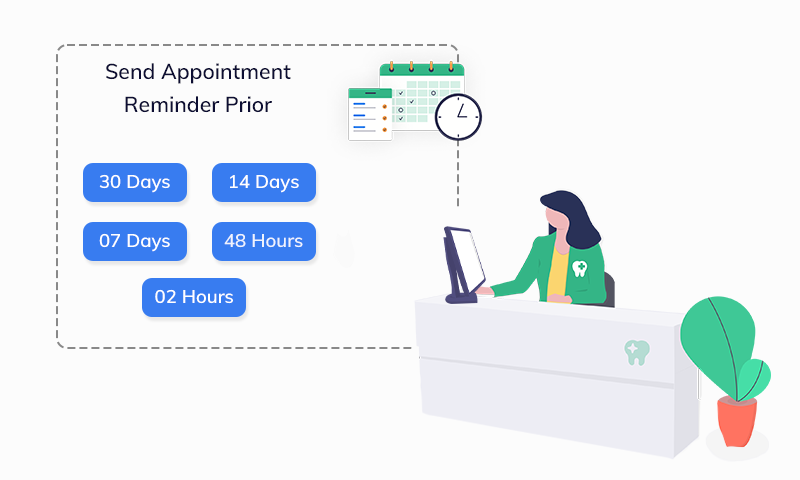
One reminder can be easy to miss. A short, planned sequence gives patients more than one chance to see the appointment and respond.
Two Reminders Can Be More Valuable Than One
Research reported by the American Journal of Managed Care suggests that two reminders—one three days before the appointment and another one day before—can be more effective than sending only one.
The exact timing should fit the practice and the type of visit. The first reminder should leave enough time to resolve a conflict, while the second should be close enough to be useful on the patient's daily schedule.
Use the Patient's Preferred Channel
The best channel is the one the patient is most likely to notice. Research published in The Angle Orthodontist reported no-show rates of 1.90% for SMS reminders, 2.68% for email, and 3.49% for phone calls.
Those figures do not mean every patient should receive a text. Ask how each patient prefers to be contacted and keep that preference with their record. Text works well for short reminders, email can carry forms or directions, and a phone call still matters when someone needs personal help.
Dos and Don'ts for Dental Appointment Reminders
Do
- Choose a platform that is easy for the team to use and comes with practical training.
- Use a planned sequence instead of relying on a single reminder.
- Personalize messages with the patient's name, the practice name, and the appointment details.
- Let patients choose the communication channel they prefer.
- Use a separate reminder flow for new patients who may need forms, directions, or additional instructions.
Don't
- Do not treat reminders as a revenue message. They should first help the patient keep or change the appointment.
- Do not send confusing separate reminders when one clear family message would be easier to understand.
- Do not rush the platform decision. Make sure the workflow, support, and cost fit the practice.
In the Final Analysis
Dental appointment reminders work best when they are part of thoughtful patient care. They help patients remember, give them time to communicate a change, and help the front desk protect the schedule.
The goal is not to send more messages. It is to send the right message at the right time and make the next step easy for the patient.
See Appointment Reminders in PracticeDilly
This short walkthrough shows how a dental office can use PracticeDilly to automate appointment reminders and confirmations.
Want fewer missed appointments?
PracticeDilly can send reminders and confirmations automatically while keeping your team in control.
Book a Demo